
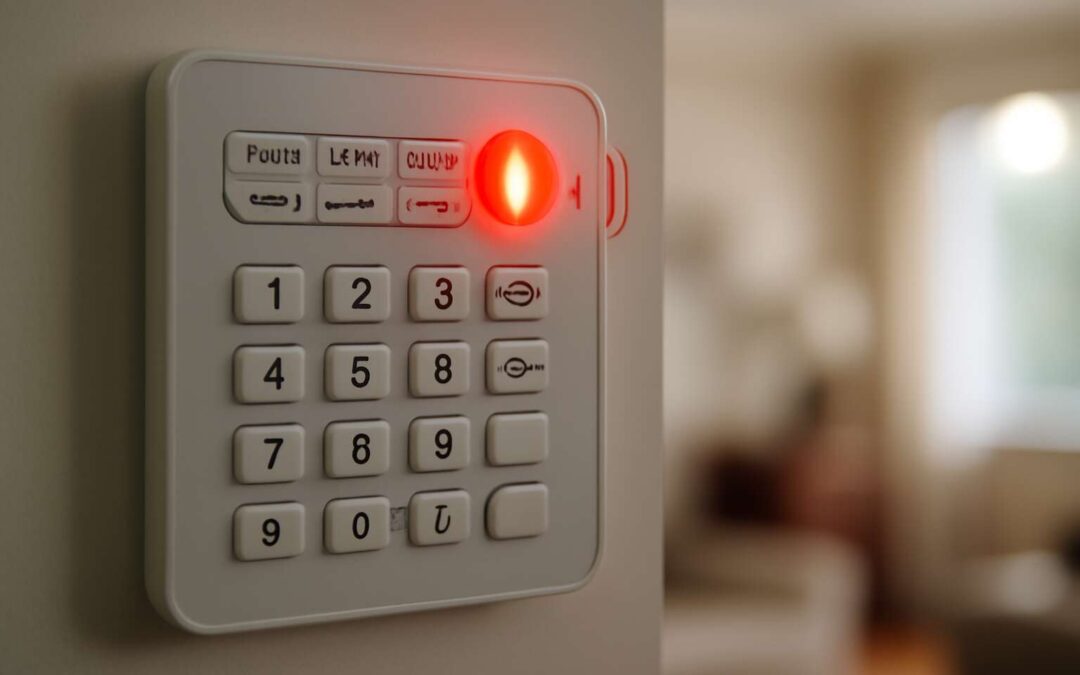
Understanding Security Alarm Beeping
What Does the Beeping Signal Indicate?
When a security alarm beeping echoes through your home, it’s more than just an irritating sound—it’s a message, a silent plea for your attention. These beeping signals are meticulously designed to communicate specific statuses or issues, transforming a simple alert into a vital component of your security system’s language. Recognizing what these beeps signify can mean the difference between promptly resolving a minor glitch and risking a false alarm or security breach.
Typically, the pattern and frequency of security alarm beeping reveal its underlying cause. A steady, continuous beep often indicates a power or battery issue, while intermittent beeps might signal a sensor malfunction or an intrusion attempt. Sometimes, these sounds serve as reminders to maintain or replace components—reminding homeowners that their security system requires ongoing care and vigilance.
- Battery low warnings
- Sensor malfunctions
- Tampering alerts
Understanding this nuanced language empowers homeowners to respond swiftly, ensuring their security alarm beeping remains a helpful alert rather than a source of confusion or frustration.
Types of Alarm Beeps and Their Meanings
In the symphony of home security, each beep and buzz plays a vital role—an echo in the vast chamber of vigilance. Security alarm beeping, when understood, becomes a language of its own, whispering secrets about your home’s safety status. The cadence and rhythm of these alerts are not merely random; they are carefully calibrated messages, conveying urgency, caution, or reassurance. Recognizing the subtle differences can turn a bewildering cacophony into a clear directive—saving precious time and peace of mind.
Different security alarm beeping patterns carry their own stories. A series of rapid, staccato beeps might be a plea for immediate attention, signaling an intrusion attempt. A slow, persistent beep often hints at a power or battery issue, quietly undermining the system’s strength. Sometimes, the beeping mimics a gentle reminder—an indicator that maintenance or component replacement is overdue. Understanding these distinct alarm sounds transforms a source of frustration into a vigilant guardian, ensuring that your home remains a fortress rather than a source of confusion.
For example, consider the following common security alarm beeping types:
- Continuous, steady beeps—usually indicating low battery or power failure.
- Intermittent, rhythmic beeps—often signifying sensor malfunctions or tampering attempts.
- Long, singular beeps—may be alerting you to system faults or communication errors.
By tuning into these signals, homeowners can decode the language of their security alarm beeping, turning each alert into a call for action—an essential step in safeguarding what matters most in the heart of South Africa’s dynamic landscape.
Common Causes of Beeping Sounds
In the intricate dance of home security, the rhythmic beeping of your alarm system often acts as a silent sentinel, alerting you to underlying issues that demand attention. Many homeowners in South Africa have experienced the puzzlement of incessant security alarm beeping, leaving them wondering whether it’s a false alarm or a genuine threat. Understanding the common causes behind these persistent sounds can transform confusion into confidence, allowing you to respond with clarity and purpose.
One frequent culprit is voltage fluctuations or power interruptions, which can trigger the alarm’s protective alert system. These fluctuations are particularly common during load shedding or unstable electrical supplies—a familiar challenge across South Africa. Additionally, sensor malfunctions are often behind unexpected beeping. Sometimes, dust or debris may interfere with sensors, causing false alarms that result in continuous or rhythmic beeping. Recognizing these subtle clues helps you pinpoint the root cause before it escalates into a more serious security concern.
Here are some typical reasons for security alarm beeping:
- Low battery power—often the first sign that your system needs a fresh power source to remain vigilant.
- Sensor tampering or misalignment—an alert to check the sensors’ positioning or for potential vandalism.
- Communication errors—when the alarm struggles to connect with the central monitoring system, prompting a series of beeps.
Each of these causes paints a different story, and understanding them ensures your security alarm beeping becomes a helpful signal rather than a source of frustration. With keen ears and attentive eyes, the hidden language of your alarm system can reveal the unseen vulnerabilities lurking in your home’s defenses—ready to be addressed before they become a threat.
Troubleshooting Security Alarm Beeping
Checking the Power Source and Battery
It turns out that a security alarm beeping isn’t just a call for attention; it’s a cryptic message from your home’s vigilant guardian. Before rushing to call in the cavalry, a quick check of the power source and battery can save you from unnecessary panic. Power disruptions are often the silent culprits behind that persistent beeping, especially during load shedding—a common South African phenomenon. Ensuring your alarm system is properly connected to a stable power supply can make all the difference.
Next, examine the batteries—these tiny powerhouses are prone to fatigue over time. If your system uses batteries, a simple replacement can often silence that incessant alarm. To facilitate this process, consider the following:
- Remove the battery compartment cover carefully.
- Inspect for corrosion or leakage, which can impair performance.
- Replace with fresh, manufacturer-approved batteries for optimal operation.
Remember, a well-maintained security alarm beeping can be an early warning sign of underlying issues—ignoring it might be akin to ignoring the smoke before the fire. Stay vigilant and keep those batteries and power sources in check; your peace of mind depends on it.
Resetting the Alarm System
Sometimes, the culprit behind that relentless security alarm beeping isn’t a malfunction but a simple reset oversight. Think of your alarm system as a high-maintenance pet—occasionally, it just needs a quick ‘hello’ and a reset to behave properly. Resetting the alarm system can often banish those noisy interruptions and restore peace of mind, especially after power surges or battery replacements. It’s not rocket science, but it does require a bit of finesse.
To reset your security alarm, follow these straightforward steps:
- Disarm the system using your access code.
- Locate the reset button—usually found on the control panel or within the user manual.
- Press and hold the reset button for about 10 seconds until the alarm chirps or resets.
- Re-arm the system and test to see if the security alarm beeping persists.
If the beeping continues even after a reset, it could indicate an underlying issue—perhaps a sensor needs recalibration or a component is malfunctioning. Sometimes, a complete power cycle—turning everything off, waiting a few moments, then powering back up—can work wonders. Remember, a quick reset isn’t just a chore; it’s often the key to silencing that persistent security alarm beeping and keeping your home protected with a bit of peace and quiet.
Inspecting for Faults or Damage
When your security alarm begins to beep unexpectedly, a deeper investigation often reveals more than a simple oversight. Sometimes, the root cause of persistent security alarm beeping isn’t a malfunction but subtle faults that can easily go unnoticed. It’s like a silent whisper warning you that something isn’t quite right—an alert demanding your attention before the problem escalates. Inspecting for faults or damage in your alarm system becomes crucial at this point, especially when the usual reset doesn’t silence the telltale beeping.
Begin by visually examining all sensors and components for signs of damage or wear. Look for corrosion, loose wiring, or dirt buildup that might interfere with sensor accuracy. Sometimes, dust or debris can trigger false alarms, causing the security alarm beeping to persist. It’s also wise to check the control panel for any error messages or indicator lights that might reveal underlying faults. If a sensor appears damaged or malfunctioning, replacing it promptly can restore system integrity and eliminate unwarranted beeping.
In more complex cases, a systematic approach can uncover elusive faults. Consider following this sequence:
- Inspect all wiring connections for corrosion or disconnection.
- Test each sensor individually to identify if a specific component causes the beeping.
- Use diagnostic tools, if available, to scan for faults within the alarm’s circuitry.
Remaining vigilant and methodical during this inspection can often reveal the hidden culprit behind the relentless security alarm beeping, preventing unnecessary panic and ensuring your home’s safety system functions flawlessly. Sometimes, a subtle fault can be the most challenging to detect—yet, with careful inspection, peace of mind is never far away.
Resolving False Alarms
Security alarm beeping can be a constant source of frustration, especially when it seems like the system refuses to stay silent. Often, these persistent beeps are signals that something is amiss beneath the surface—faults that aren’t immediately obvious. Troubleshooting security alarm beeping requires patience and a systematic approach to uncover the root cause. Sometimes, the beeping is a false alarm caused by minor issues that can be fixed quickly, saving you time and unnecessary worry.
To resolve false alarms triggered by security alarm beeping, start by verifying the system’s environment. Dust, dirt, or even small objects interfering with sensors can cause false triggers. Check sensors for dirt buildup and ensure they are aligned correctly. A simple cleaning or repositioning can often eliminate the problem. If the beeping persists, consider testing each sensor individually or inspecting wiring connections for corrosion or disconnection. Using diagnostic tools, if available, can help pinpoint faults within the circuitry that might be causing the false alarms.
- Begin with a visual inspection of all sensors and wiring.
- Test each sensor to identify if specific components are causing the issue.
- Use diagnostic tools to scan for underlying faults within the alarm system circuitry.
Remaining vigilant during this process not only helps in resolving the immediate issue but also prevents future false alarms. Addressing the subtle faults behind security alarm beeping ensures your home’s security system remains reliable and responsive, giving you peace of mind in an increasingly complex security landscape.
Preventing Future Beeping Issues
Regular Maintenance Tips
A squealing, incessant security alarm beeping can feel like an unwelcome guest overstaying its welcome—an irritant that refuses to be ignored. Preventing future beeping issues requires a dash of vigilance and a sprinkle of preventative care. Regular maintenance, often overlooked, is the cornerstone of a well-functioning alarm system. Think of it as a spa day for your security setup—clean, checked, and refreshed.
To keep your alarm system in tip-top shape, consider scheduling periodic inspections, which can nip potential faults in the bud before they morph into disruptive beeping. Ensuring sensors are free of dust and debris, and that wiring remains intact, can dramatically reduce false alarms and unnecessary beeping. Remember, a little proactive effort can save you from the relentless annoyance of a security alarm beeping at the most inconvenient moments—like during a dinner party or a peaceful night’s sleep.
Firmware and Software Updates
Firmware and software updates are often the unseen guardians of your security alarm system, yet their importance cannot be overstated. Outdated firmware can cause your alarm to behave unpredictably, including persistent security alarm beeping that disrupts your peace. Staying ahead of these glitches requires a proactive approach—regularly checking for updates can prevent minor issues from escalating into persistent disturbances.
Manufacturers release firmware updates to patch vulnerabilities, enhance functionality, and improve system stability. Ignoring these updates can leave your alarm vulnerable to malfunctions, including false alarms and unrelenting security alarm beeping. To streamline this process, consider the following:
- Set a schedule for checking firmware and software updates, perhaps every few months.
- Utilise remote management features if available, allowing you to update your system effortlessly.
- Consult professional technicians for assistance with complex updates or troubleshooting persistent beeping issues caused by outdated software.
In the realm of security, complacency is a risk you can’t afford. Regular firmware and software updates act as a vital safeguard, helping ensure your alarm system remains silent during genuine emergencies and free from the irritation of unnecessary security alarm beeping. Trust that a well-maintained digital backbone is your best defense against both intrusion and unwelcome noise.
Battery Replacement Schedules
In the world of home security, a persistent security alarm beeping can feel like an intrusion in your own sanctuary. One of the most overlooked yet vital steps to prevent future beeping issues is establishing a reliable battery replacement schedule. Batteries are the heartbeats of your alarm system, powering sensors and control panels silently in the background. When they weaken or run out of juice, the alarm’s alert system often responds with an incessant beeping, signaling distress.
To keep these disturbances at bay, consider implementing a regular timetable for replacing batteries. This proactive habit not only ensures your system remains fully operational but also alleviates the frustration of unexplained beeping sounds. Many security experts recommend checking and swapping batteries every 12 to 18 months—think of it as giving your alarm a fresh breath of life. If your system features smart notifications, utilise them to receive reminders when batteries are nearing the end of their lifespan.
For added peace of mind, some advanced alarm systems offer a scheduled maintenance feature, allowing you to automate battery checks and replacements. Whether you’re a busy homeowner or managing a security system for a commercial property, staying vigilant about battery health is the secret to maintaining a silent, dependable security alarm. Remember, neglecting this crucial aspect can transform a minor annoyance into a costly malfunction, leaving your premises vulnerable to false alarms or, worse, unresponsive security alarm beeping when it’s needed most.
Professional System Checks
Regular professional system checks are crucial to prevent persistent security alarm beeping. Over time, even well-maintained systems can develop faults that cause false alarms or unwarranted beeping sounds. Routine inspections by qualified technicians can identify issues before they escalate, saving you frustration and potential security breaches.
During these checks, experts examine critical components such as sensors, control panels, and wiring for signs of wear or damage. This proactive approach ensures that minor faults do not turn into major malfunctions. In fact, many security companies recommend scheduling annual or semi-annual system audits to keep everything running smoothly.
For optimal peace of mind, consider implementing a maintenance plan that includes:
- Sensor calibration and testing
- Firmware updates for smart systems
- Verification of alarm response times
- Battery health assessments beyond simple replacement schedules
Investing in professional system checks not only curbs the chances of future security alarm beeping but also enhances the overall reliability of your alarm system in South Africa. It’s a small step that offers significant protection and peace of mind!
When to Call a Professional
Persistent Beeping Despite Troubleshooting
When persistent security alarm beeping continues despite troubleshooting efforts, it’s a clear sign that professional intervention may be necessary. Alarm systems are designed with intricate circuits and sensors that can sometimes develop faults beyond routine fixes. Ignoring these signs risks leaving your property vulnerable or facing costly repairs down the line.
If the beeping persists after you’ve checked the basics—like power, batteries, and reset procedures—it’s time to call in a specialist. Experts can diagnose hidden issues, such as faulty wiring or sensor malfunctions, that are not immediately apparent.
In some cases, the alarm beeping could indicate an underlying security breach or system compromise that requires immediate professional attention. Don’t wait for the beeping to escalate into a full alarm or a security breach. Instead, trust the trained hands of security alarm technicians who can swiftly identify and resolve the root cause of your alarm’s persistent beeping.
Signs of System Malfunction
When the relentless sound of a security alarm beeping persists despite your best efforts, it’s a warning sign that professional intervention is overdue. Studies show that unresolved system malfunctions can compromise your property’s safety, turning an annoyance into a vulnerability. Recognizing the precise signs of a system malfunction is crucial before the situation worsens.
One clear indicator is irregular or intermittent beeping that doesn’t respond to basic troubleshooting. If your alarm system continues to beep after replacing batteries and resetting, it’s time to call in a specialist. These professionals can detect hidden faults—such as wiring issues, sensor malfunctions, or software glitches—that often escape casual inspection.
In some cases, the persistent beeping could signal a security breach or an attempt at system sabotage. Ignoring these subtle cues risks escalating a minor glitch into a full-blown security lapse.
- Repeated beeping that doesn’t stop
- Unusual or unfamiliar alarm patterns
- Alarm system responds unpredictably to input
These are all signs that a professional security alarm technician should be contacted immediately, as they possess the expertise to diagnose and resolve complex system malfunctions swiftly.
Choosing the Right Alarm Service Provider
When the persistent sound of security alarm beeping persists beyond basic troubleshooting, it’s a clear sign that professional intervention is necessary. Ignoring this alert can jeopardize your property’s safety and leave you vulnerable to security breaches. Knowing precisely when to call a professional can save you time, money, and peace of mind.
One of the most telling indicators is when the alarm continues to beep despite replacing batteries and resetting the system. This suggests underlying issues that require expert diagnosis. A qualified security alarm technician can identify hidden faults, such as wiring problems, sensor malfunctions, or software glitches that are not apparent to the untrained eye.
In some cases, the security alarm beeping could even signal an attempted breach or sabotage. Recognizing these subtle cues early is vital. If the alarm responds unpredictably to input or the beeping pattern is unusual, it’s time to seek professional help.
- Complex wiring faults
- Sensor failures
- Software anomalies
are best handled by specialists who understand the nuances of security alarm systems.
Choosing the right alarm service provider involves verifying their expertise and reputation. A seasoned professional can perform comprehensive system checks, ensuring your alarm functions flawlessly and that any issues causing security alarm beeping are swiftly resolved. When the beeping refuses to cease despite all attempts, don’t hesitate—professional assistance is the key to restoring your peace of mind.
Enhancing Your Security System to Avoid Beeping Problems
Upgrading to Advanced Security Systems
In a world where security alarm beeping can evoke a sense of unease, upgrading to an advanced security system offers more than peace of mind—it provides resilience. Modern systems integrate intelligent monitoring capabilities, reducing false alarms and eliminating unnecessary beeping that disrupts daily life. These sophisticated setups often feature noise reduction technologies and smarter sensor calibration, making the persistent alarm beeping a thing of the past. When considering an upgrade, the goal is to create a seamless security experience—one that prioritizes clarity and reliability over frustrating false signals.
Furthermore, investing in an advanced security system enhances your ability to customize alerts and responses, ensuring that alarm signals serve their purpose without becoming intrusive. An upgraded system can proactively identify faults before they trigger false alarms or beeping, thus safeguarding your peace and safety. Here’s why a comprehensive upgrade can be a game-changer:
- Enhanced sensor accuracy reduces false alarms and unnecessary beeping
- Smart alerts distinguish between real threats and system glitches
- Remote diagnostics allow for prompt troubleshooting, preventing persistent beeping
Ultimately, a future-proof security setup fosters trust in your safety infrastructure, turning a mere alarm into a true guardian—silent yet vigilant, reliable without the disruptive beeping that once haunted your space.
Installing Backup Power Solutions
In a landscape where security alarm beeping can turn a peaceful home into a cacophonous battleground, installing backup power solutions becomes an astute move. Power outages are unpredictable, yet they’re notorious for triggering those relentless alarm beeps that seem to echo through every corner of your sanctuary. By integrating a reliable backup power source, such as an uninterruptible power supply (UPS) or a generator, you ensure your security system remains steadfast even when the lights go out. This not only prevents unnecessary beeping but also preserves the integrity of your security infrastructure during critical moments.
Furthermore, a well-considered power backup system can help in diagnosing genuine faults, distinguishing them from mere power interruptions. For instance, many modern security alarms feature built-in diagnostics that alert you to low battery levels or system malfunctions, avoiding the frustration of persistent beeping. When properly installed, these solutions act as a silent guardian—ready to step in when the mains fail, keeping false alarms and the associated beeping at bay. After all, peace of mind in South Africa’s fluctuating power landscape hinges on proactive measures that keep your security alarm beeping under control, rather than amplifying it.
To ensure your system’s resilience, consider a layered approach: backup power, regular system checks, and smart integration. A comprehensive setup not only shields your alarm from unwarranted beeping but also reinforces the overall reliability of your security measures—an essential for a society where vigilance is paramount.
Integrating Smart Home Security Features
Enhancing your security system with smart home features can transform how you manage security alarm beeping. Modern technology offers intelligent integration, allowing your alarm to communicate seamlessly with your mobile devices and home automation systems. This proactive approach lets you receive instant alerts, diagnose issues remotely, and even silence false alarms without physically accessing the panel. Such innovations reduce unnecessary beeping, creating a calmer environment and boosting overall security reliability.
To maximize these benefits, consider incorporating features like motion sensors, smart locks, and real-time monitoring. These tools work together to provide a layered defense, ensuring that the security alarm beeping signals genuine concerns rather than power or system glitches. For example, smart diagnostics can detect low battery levels or system malfunctions early, preventing persistent beeping and false alarms that often cause frustration among homeowners in South Africa’s unpredictable power landscape.
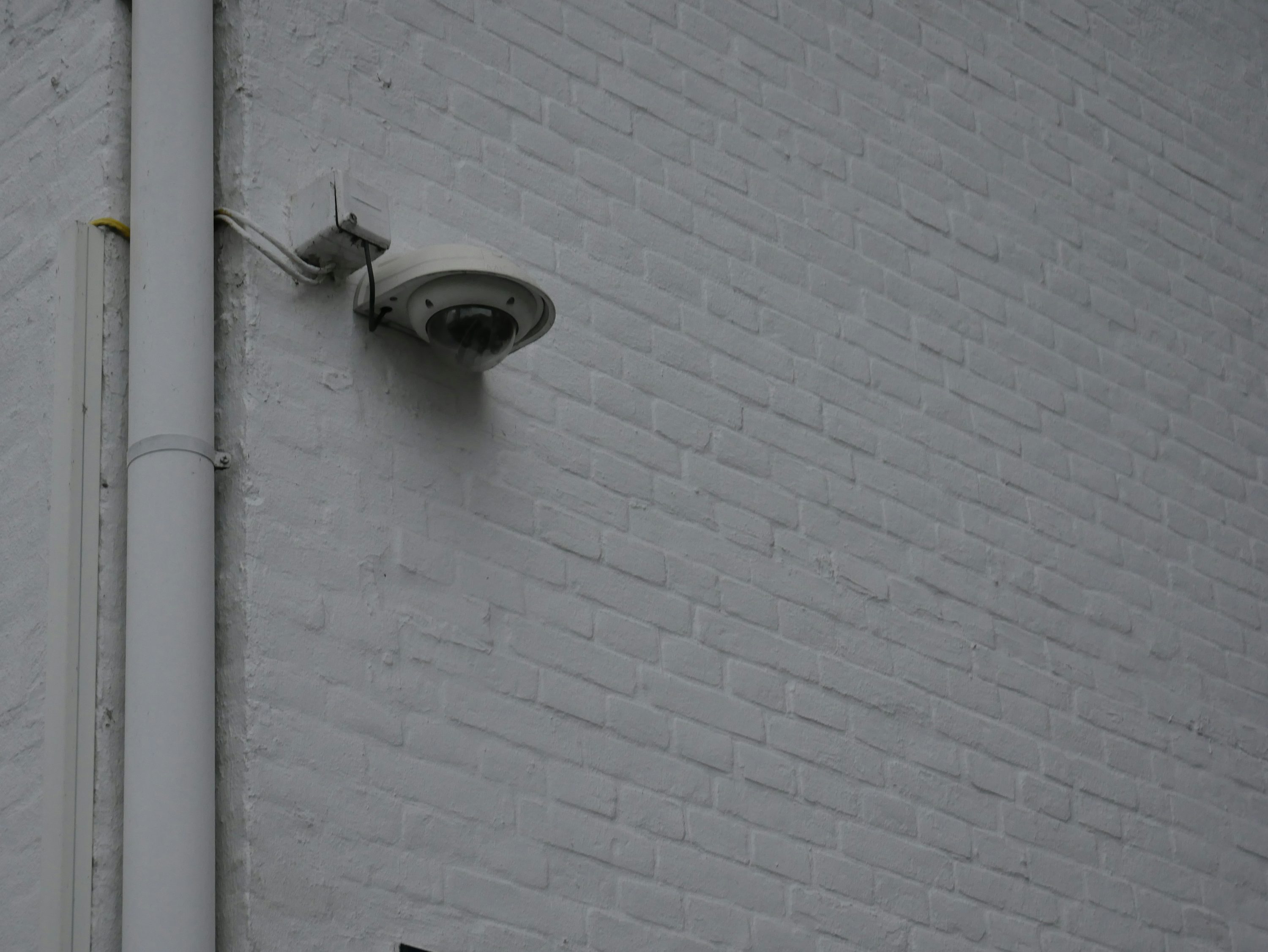
By choosing a layered approach—integrating smart home security features with traditional alarm systems—you not only enhance security but also gain peace of mind. This innovative synergy acts as a vigilant sentinel, standing guard against unwarranted beeping and ensuring your home’s safety remains unwavering, come rain or shine.
